VTEX Notification Center
A notification system for the VTEX Admin, where brands run their whole commercial operation. It helps brands understand and solve problems faster, without opening Support tickets. A six-month internship project.
- VTEX
- Six months
- Product Designer, UI/UX, UX Research and UX Writing
- Figma, Notion, Jira and Google Workspace
- Victoria Molgado, Bia Milhomem, Davi Costa and Biu Galvão
The notification system in motion
A walk through the problem and the solution: errors inside each module, one bell, two tabs and a full history.
A system to tell users what happens in the Admin.
The notification system was created to identify and improve the pain points around the Admin's feedback to VTEX's partner brands. VTEX, the enterprise digital commerce platform, provides the Admin, a website where brands run their whole commercial operation.
The project lets brands understand and solve problems faster, without opening Support tickets. It came from one of the VTEX 2024 Statements: “give customers and partners peace of mind”.
You could only learn about an event from inside the module.
Inside the VTEX Admin, users must be in the module or page to see whether and what event happened. The modules had no effective way to communicate problems and errors. The opportunity was to create a system that sends notifications about asynchronous tasks, on different pages, and helps people solve and prevent errors.
I was the main person responsible, from screens to the design-spec documentation for engineering. The design team had more than 50 people, but as an intern I worked daily with three Product Designers, through Critiques and Design Meetings. In the last months I talked often with engineers to shape an MVP another intern could code in three months.
A bell, two tabs and one history
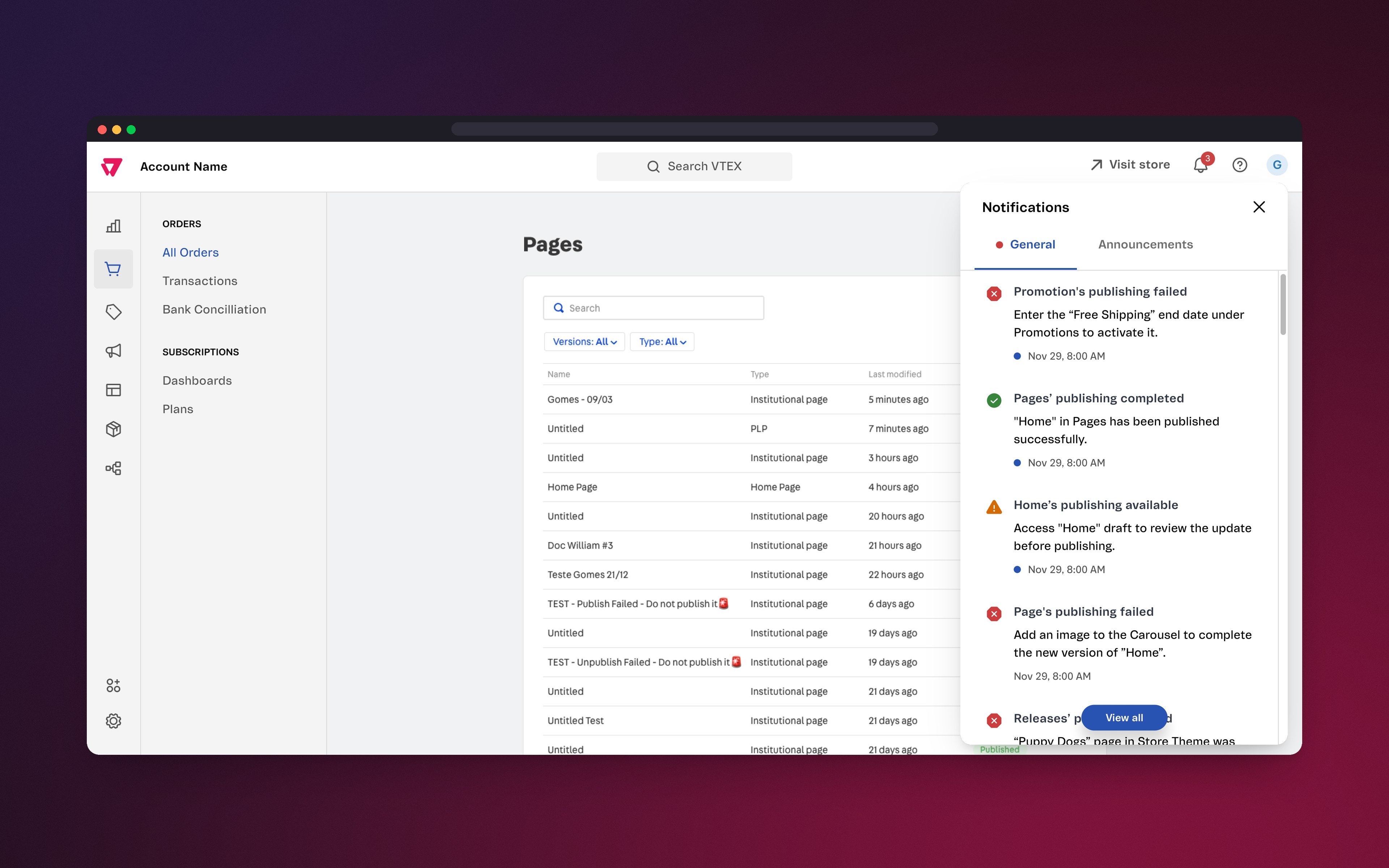
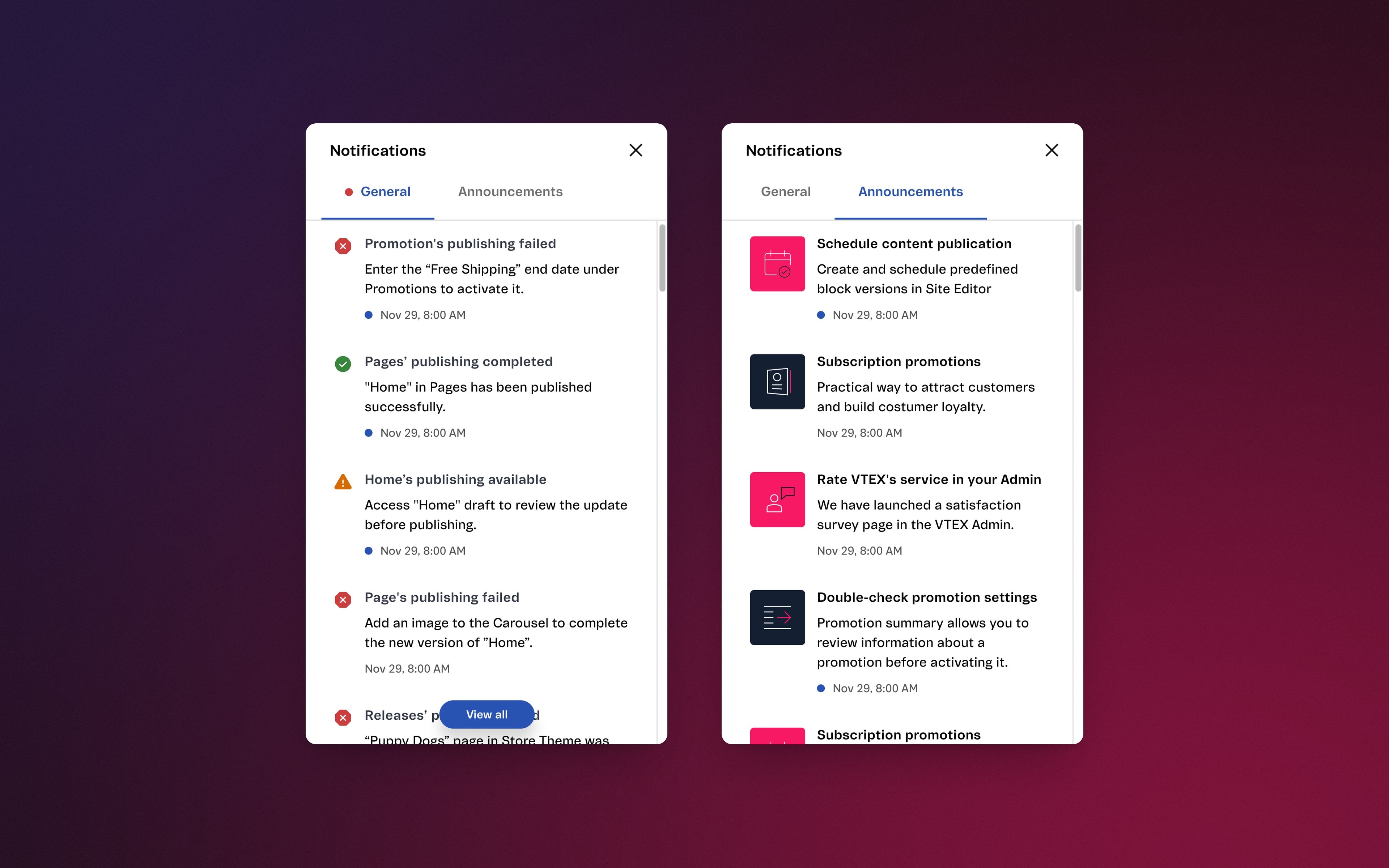
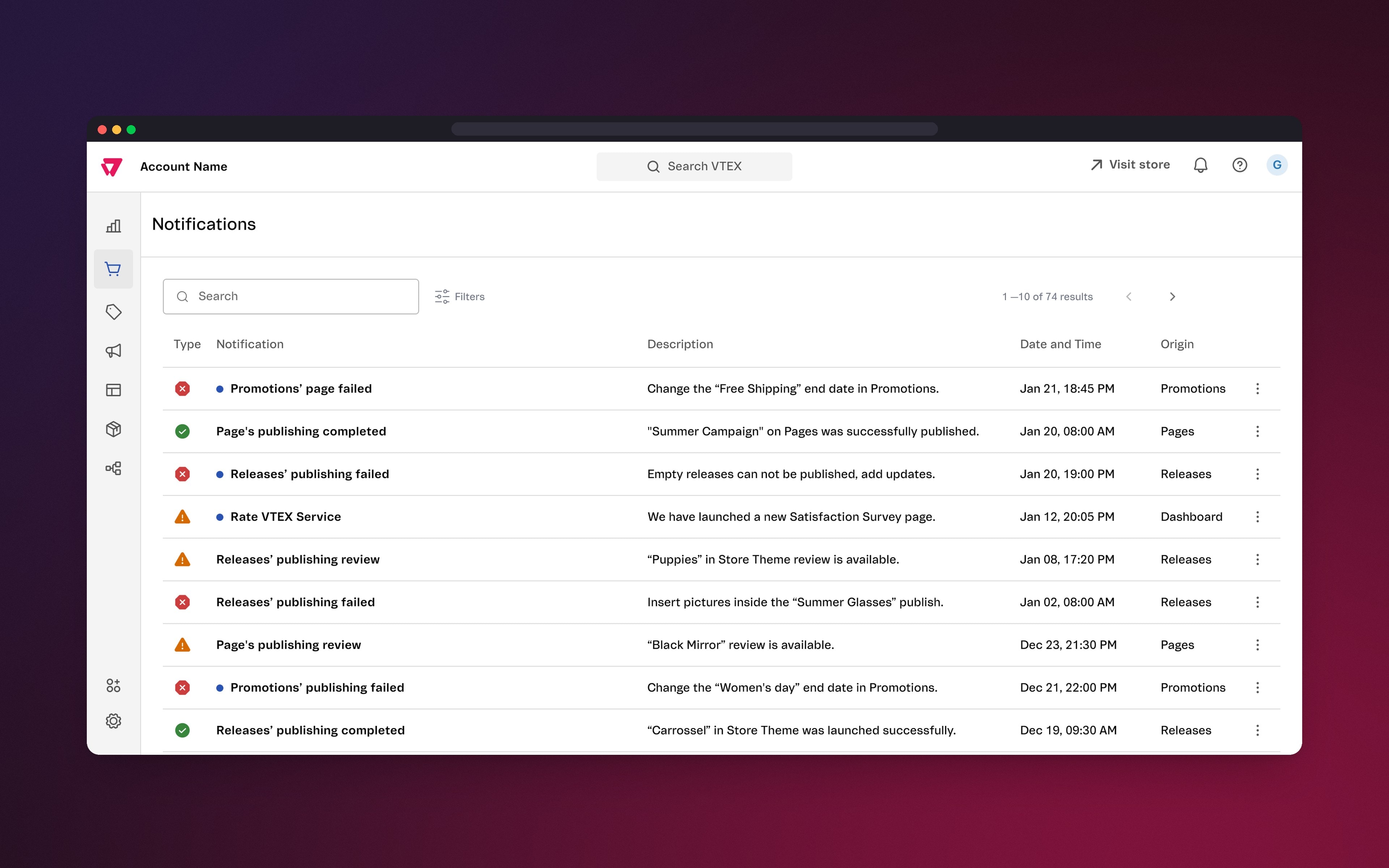
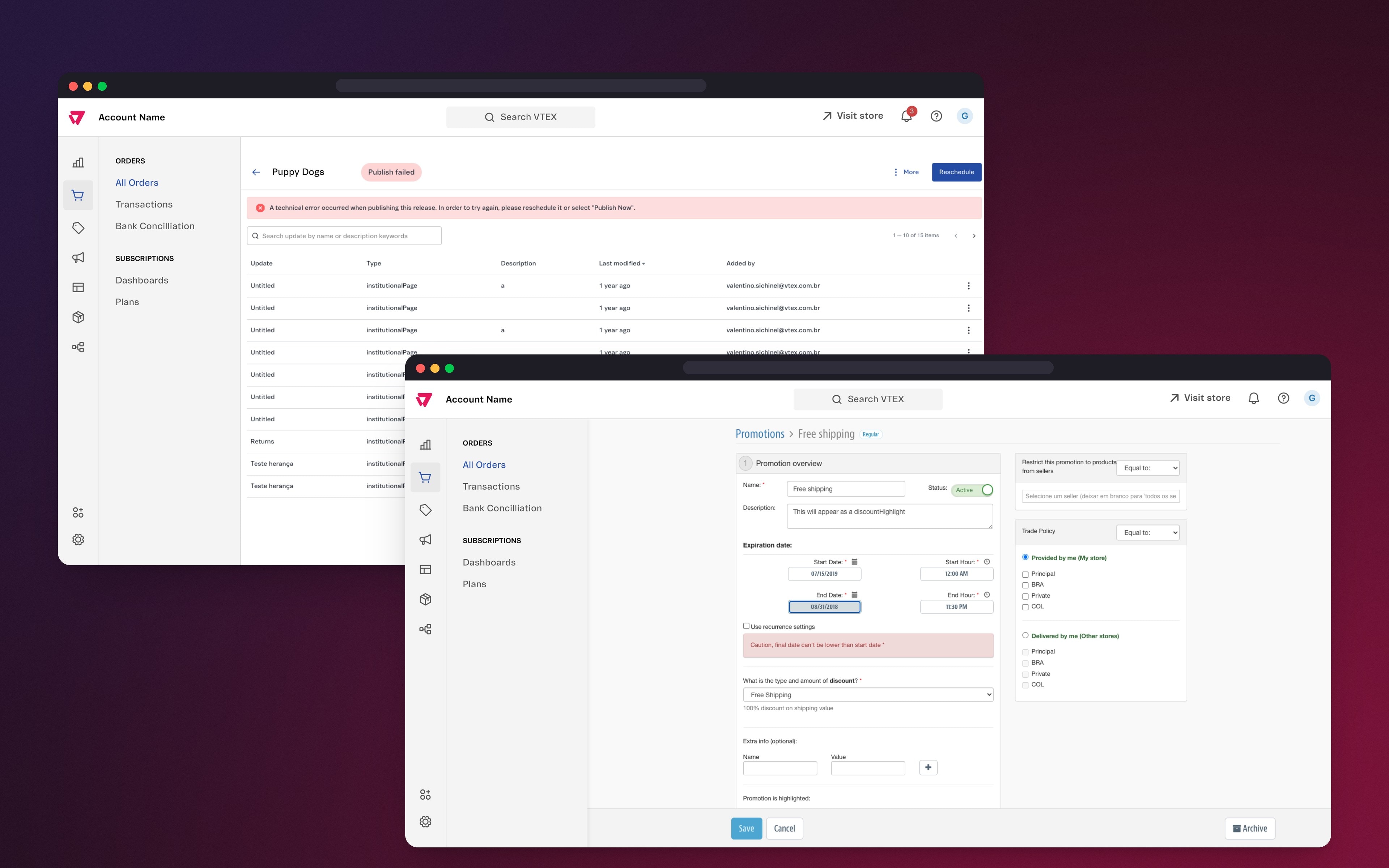
Admin users see what is happening without opening each module. The bell shows what is new, the dropdown separates system notifications from announcements, and the Notifications page keeps the full history, with search and filters.
What my mentor said.
Jessica surprised me and the other VTEX IO designers by being independent in the design process and very proactive. We expected someone dependent on constant direction, and what we saw was a designer who proposed her own process and was always open to feedback.
Understanding the problems.
Over six months we ran usability tests and desk research, both qualitative and quantitative, to check for real problems in the VTEX Admin and to find improvements in how it communicates feedback.
The scope grew as we investigated, so we prioritized the essentials and documented what could be a game changer but did not fit yet.
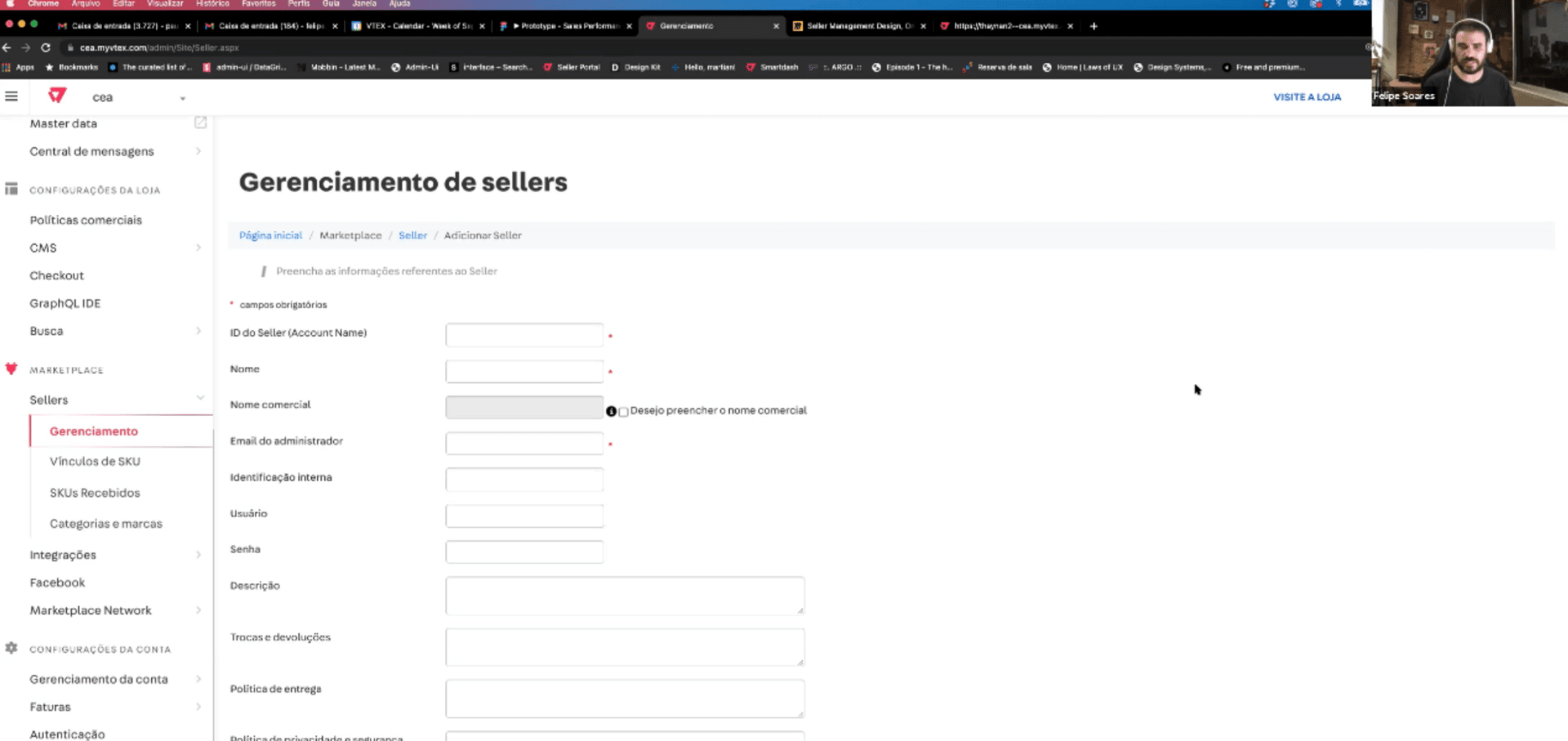
I interviewed module designers about the Admin, the process behind each page and users' routines. “Tasks are extremely manual. People only notice after the error happens,” said Felipe Soares. Daiane Thomé added that users get no notification when errors occur and have to go into the modules to find them.
We focused on three milestones: real-time feedback, faster prevention and recovery from errors, and more trust in the platform.
Benchmarking and Desk Research.
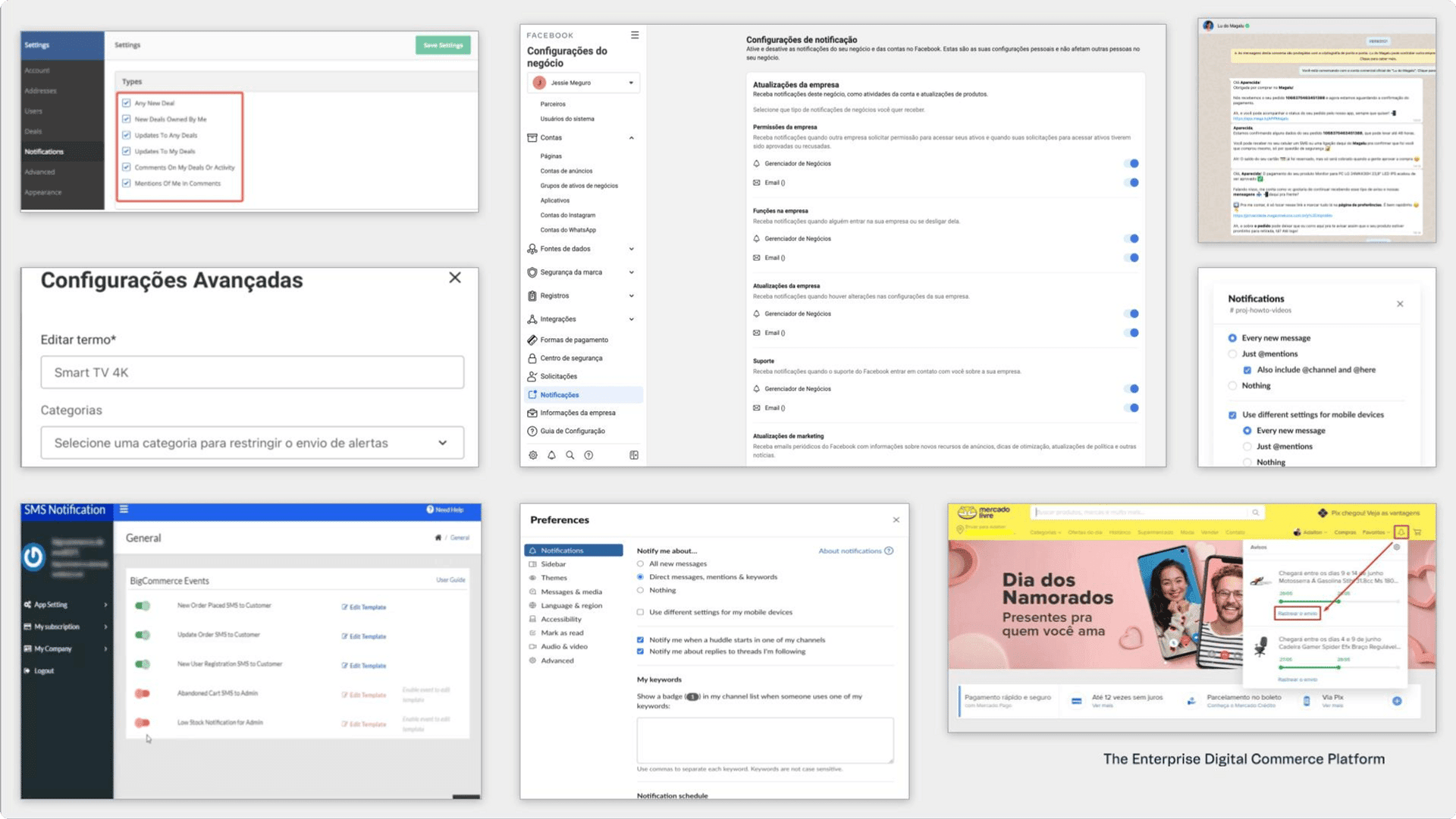
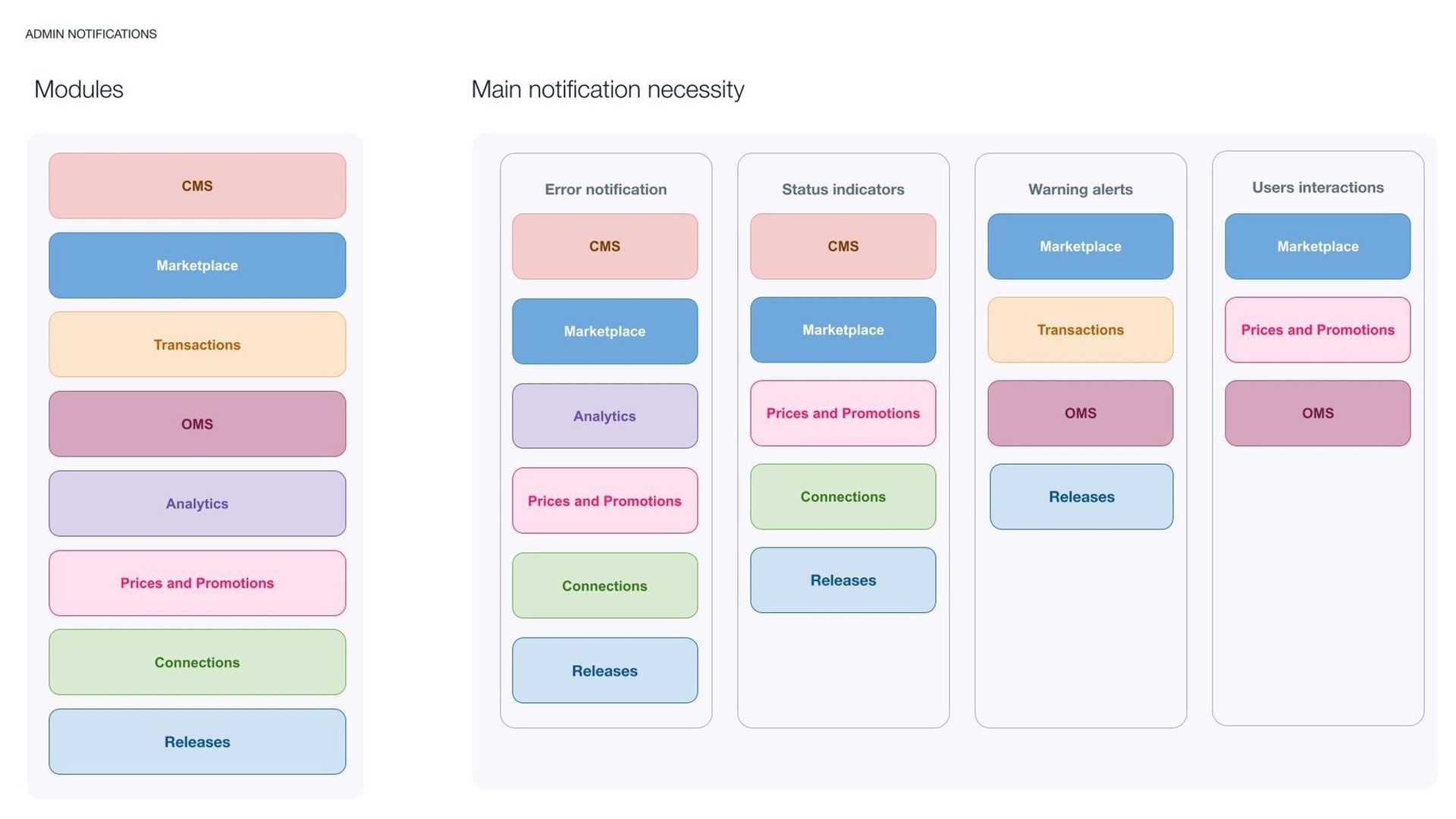
I started by reviewing notification centers on other platforms, looking for what works and what fails in visibility and information hierarchy. Five insights: multiple settings, a clear sense of relevance, mobile and desktop together, easy to find again, and a summary of past notifications.
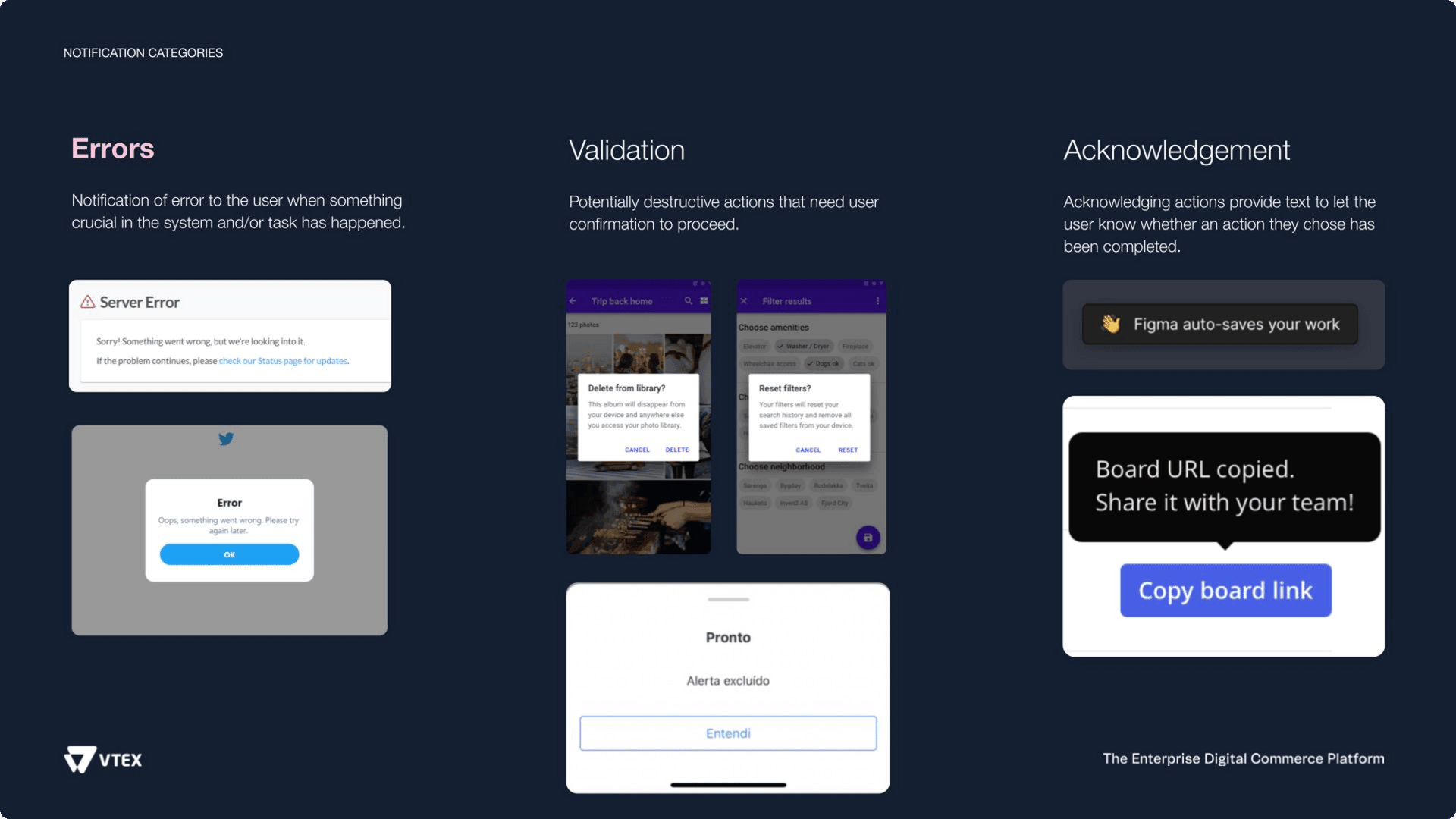
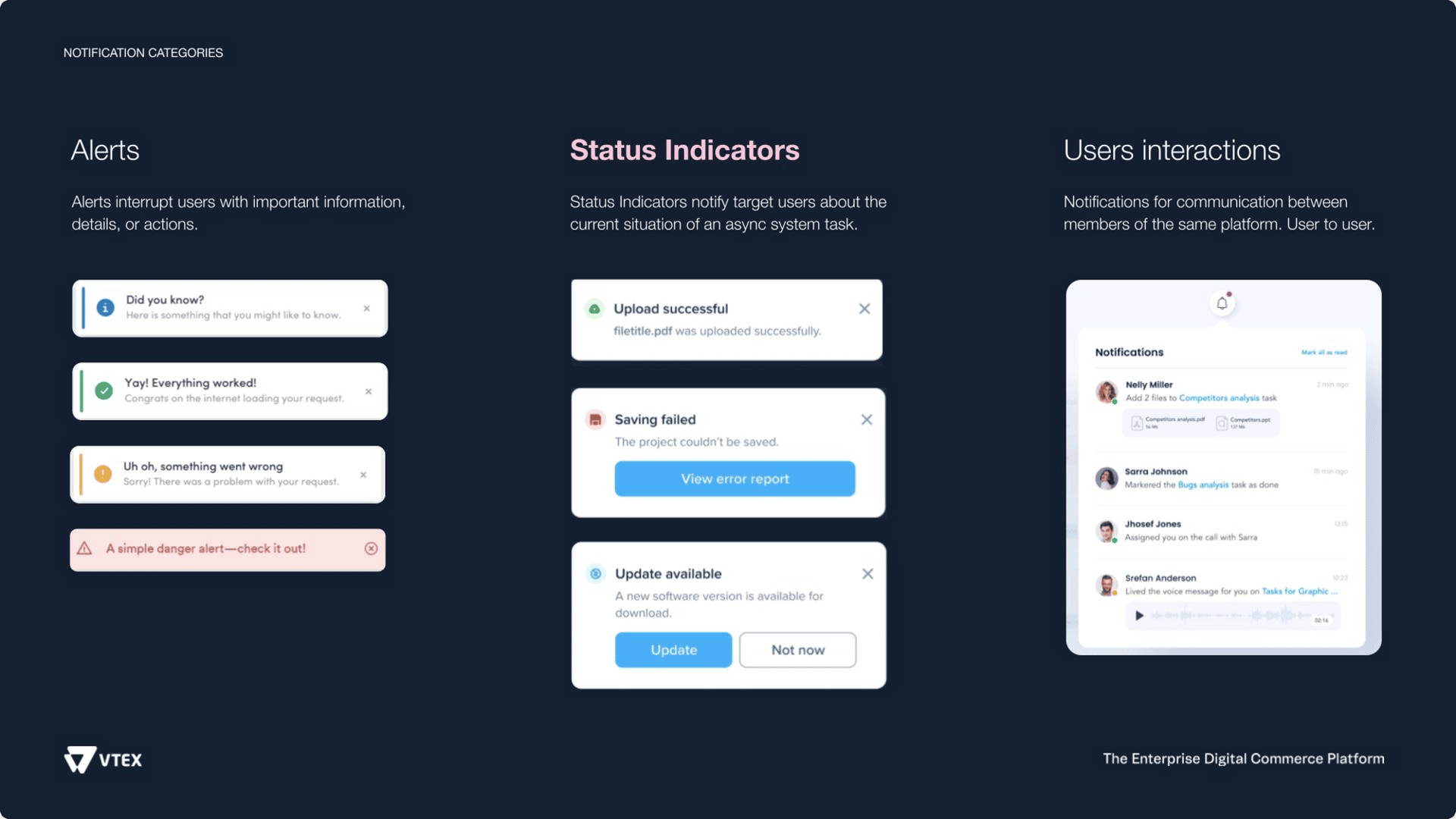
Desk research gave me a definition: a notification is a message shown inside or outside an interface to remind, communicate or inform in time. Of the six forms I identified, errors and status indicators mattered most to our users.
Brainstorming and prioritization.
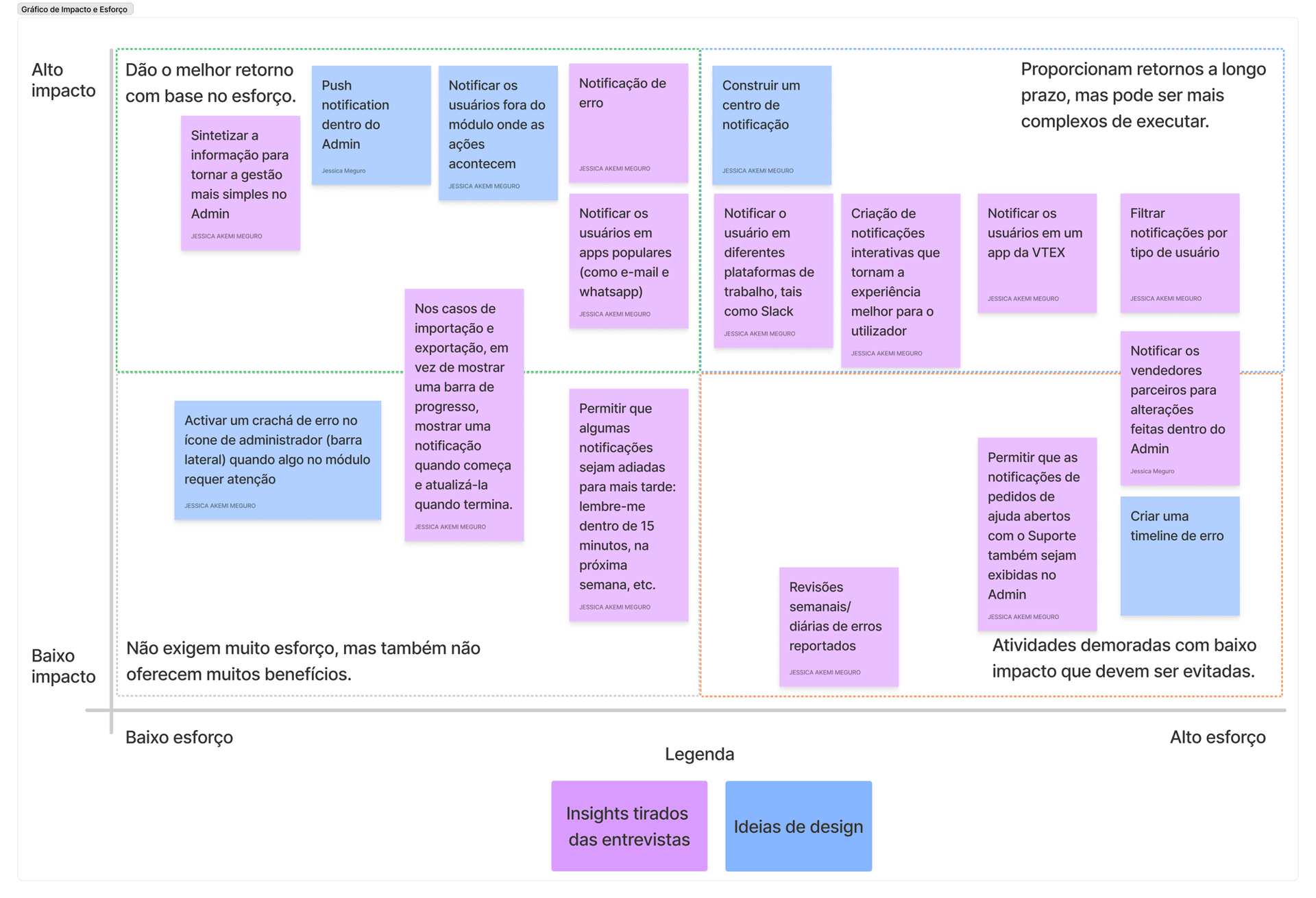
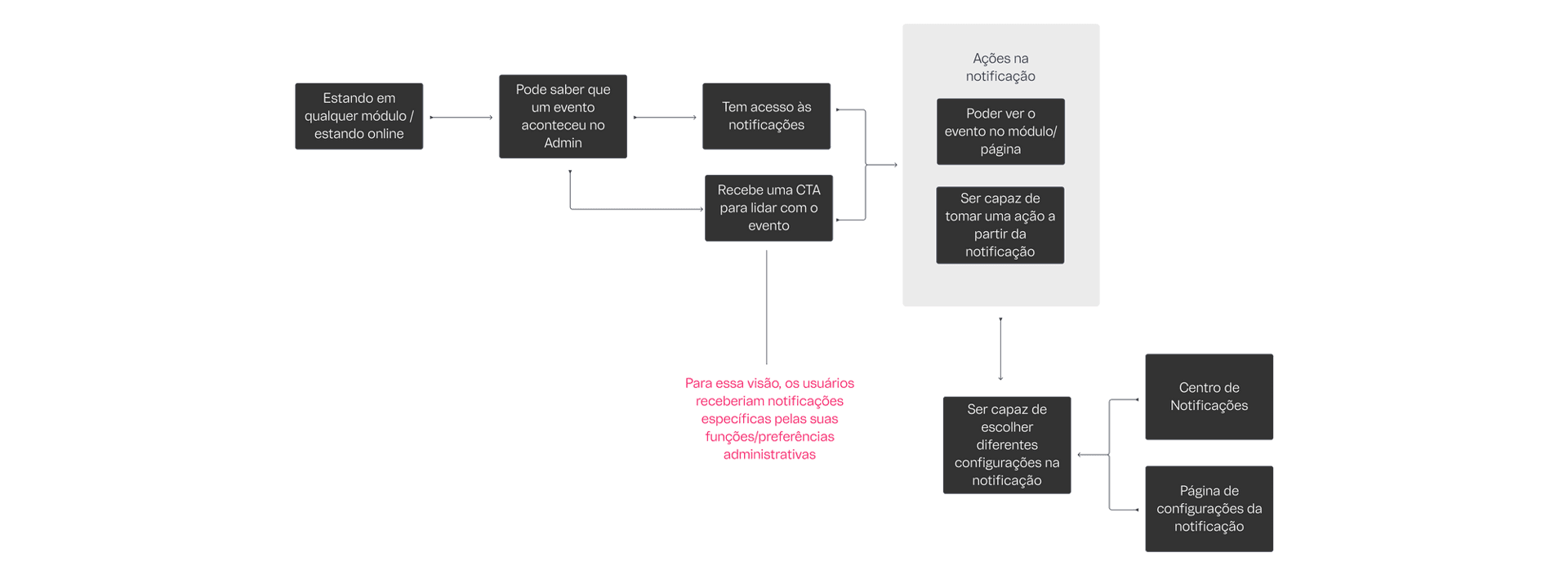
I ran a brainstorming session with designers and developers on flows, visual system, UX Writing and engineering, within the three months available. With my mentor, I then ranked every feature on an effort versus impact chart to define the scope and drew the ideal user flow.
- Tasks, not only announcements
- The Admin's notification space only carried announcements. It now includes tasks.
- A page to review everything
- A Notification Center with the full history.
- One visual system per priority
- Colors, icons and look change with the priority.
Drafts and sketches.
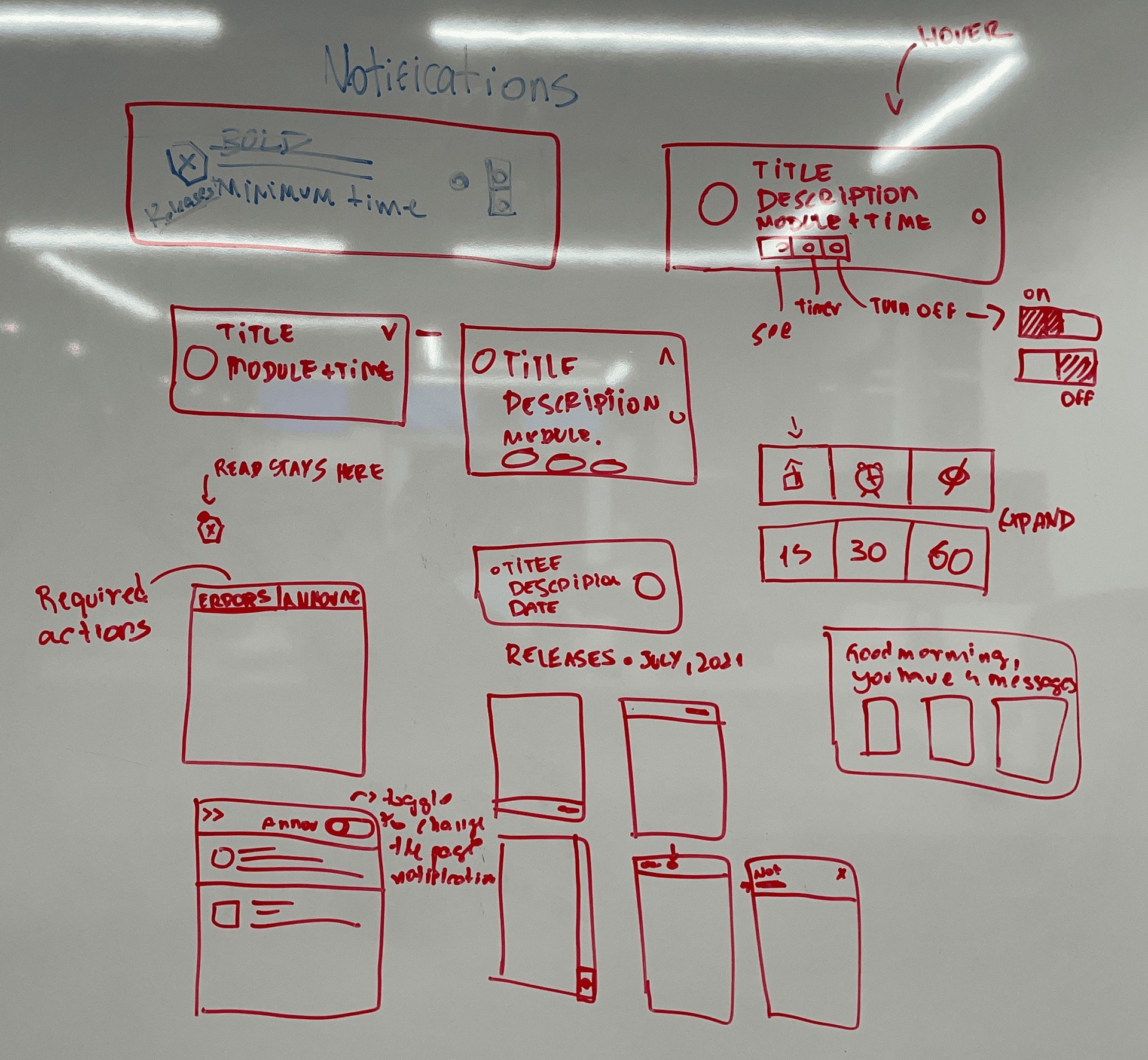
I explored over 100 frames inside VTEX's Design System and users' opinions. Compared with the benchmark, I prioritized information hierarchy and communication through icons and color, so users can tell what needs attention now from what can wait. The Notification Center page came last, as it followed more design system patterns.
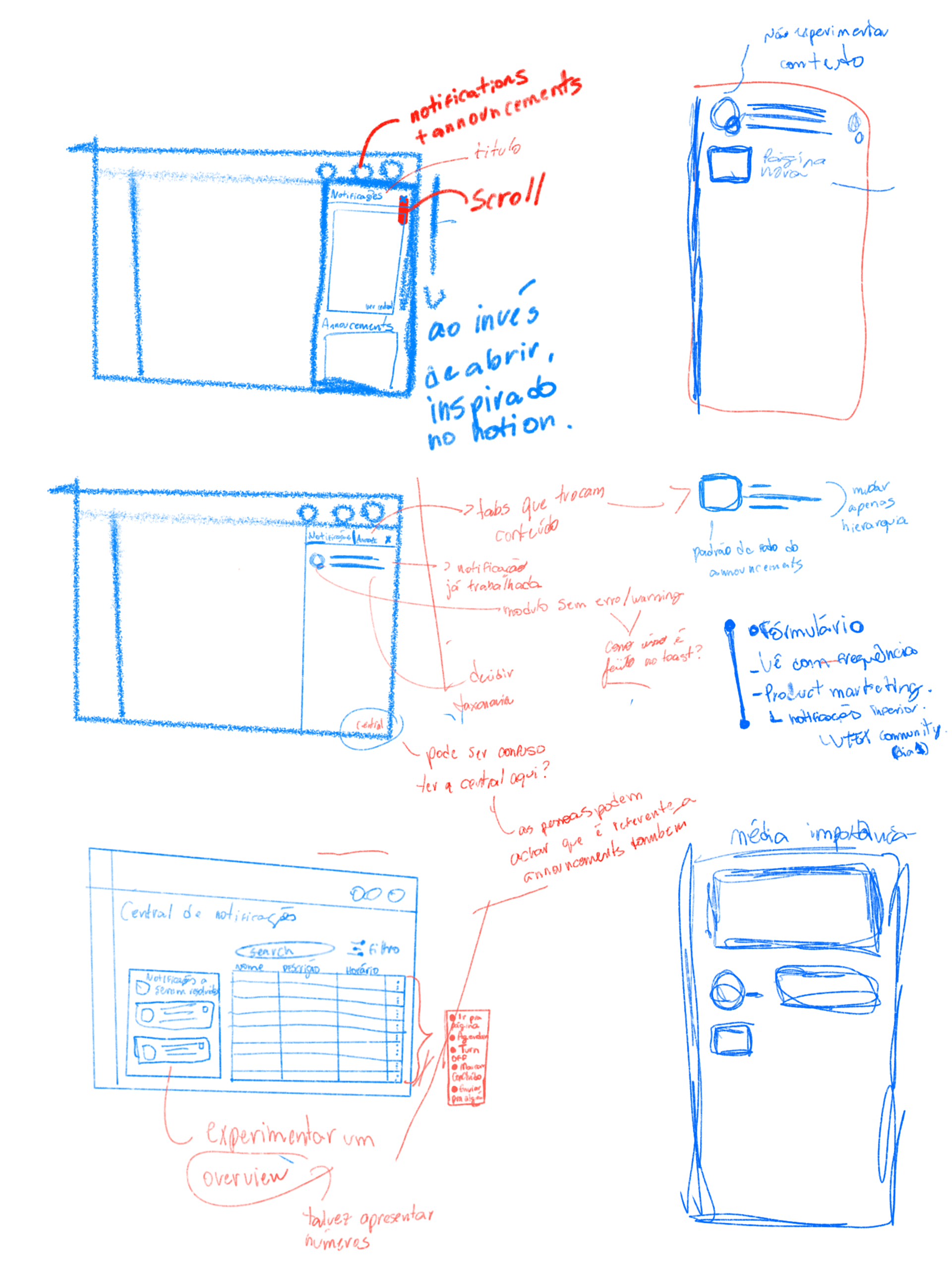
An iterative process.
Each screen went through five steps: explore, select, critique in Design Critiques, refine with feedback and test with end users.
Tests ran first with VTEX's Support team and then with partner brands. Every user clicked a notification to reach the page it came from, and the alerts' image and text made people want to see more. Two fixes followed: the Announcements notification went unnoticed, and the writing had to be more direct.
Writing for notifications.
A UX Writing study set the rules for two contexts: inside VTEX (button behavior, what words mean, the user's action) and the general notification experience (what to show, date and time format, structure and order).
Lessons: prototype in different sizes, languages and platforms, and write with real cases, since made-up messages fool you about real appearance. I then defined a taxonomy so the next designers and developers could follow the pattern.
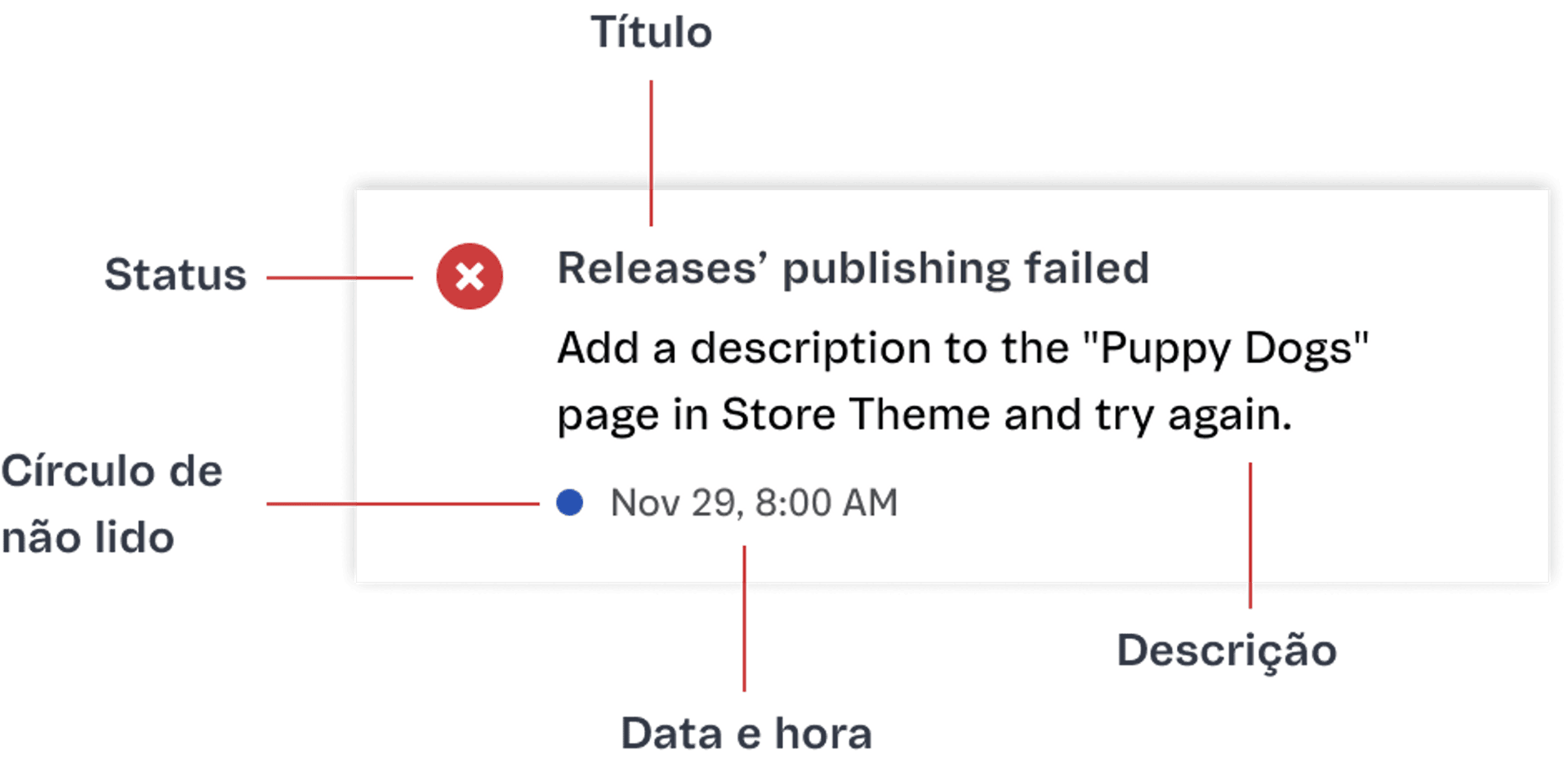
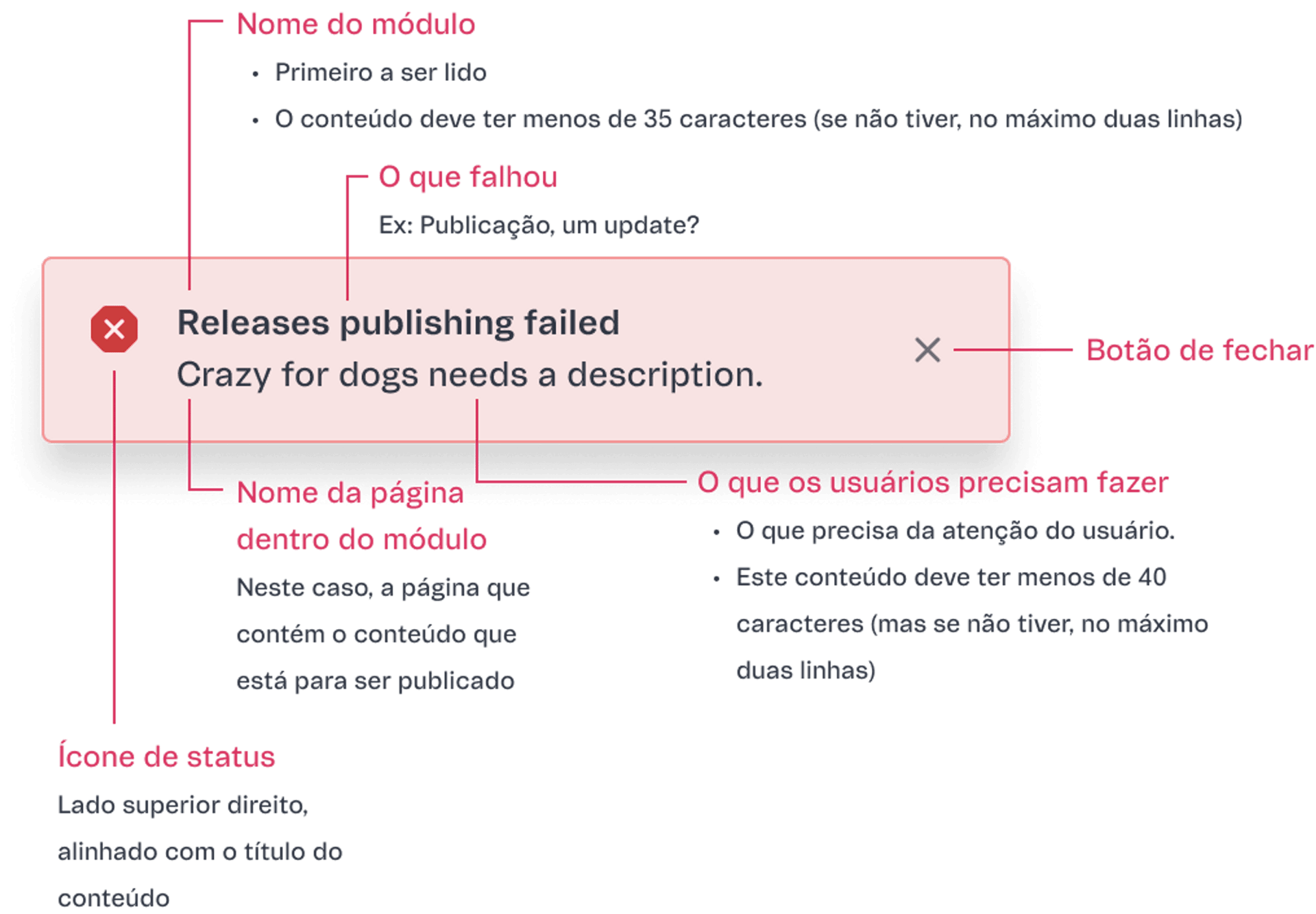
Dropdown and Notification Center.
After an All Hands and a Design Critique with more than 30 designers, I refined the chosen options. The bell in the Admin navigation bar opens the main source of recent information: task notifications and announcements in the same space, separated by category.
From “View all”, users reach the Notification Center, where they filter everything they received and adjust important settings. It came at the end of the six months, so we kept the pattern of other Admin pages.
Specs for developers.
The final product, presented at the end of the six-month internship, lets Admin users know the system's current state and control their daily work with more trust. For the handoff, I built a Figma file and Notion documentation with every spacing, function, click and flow.
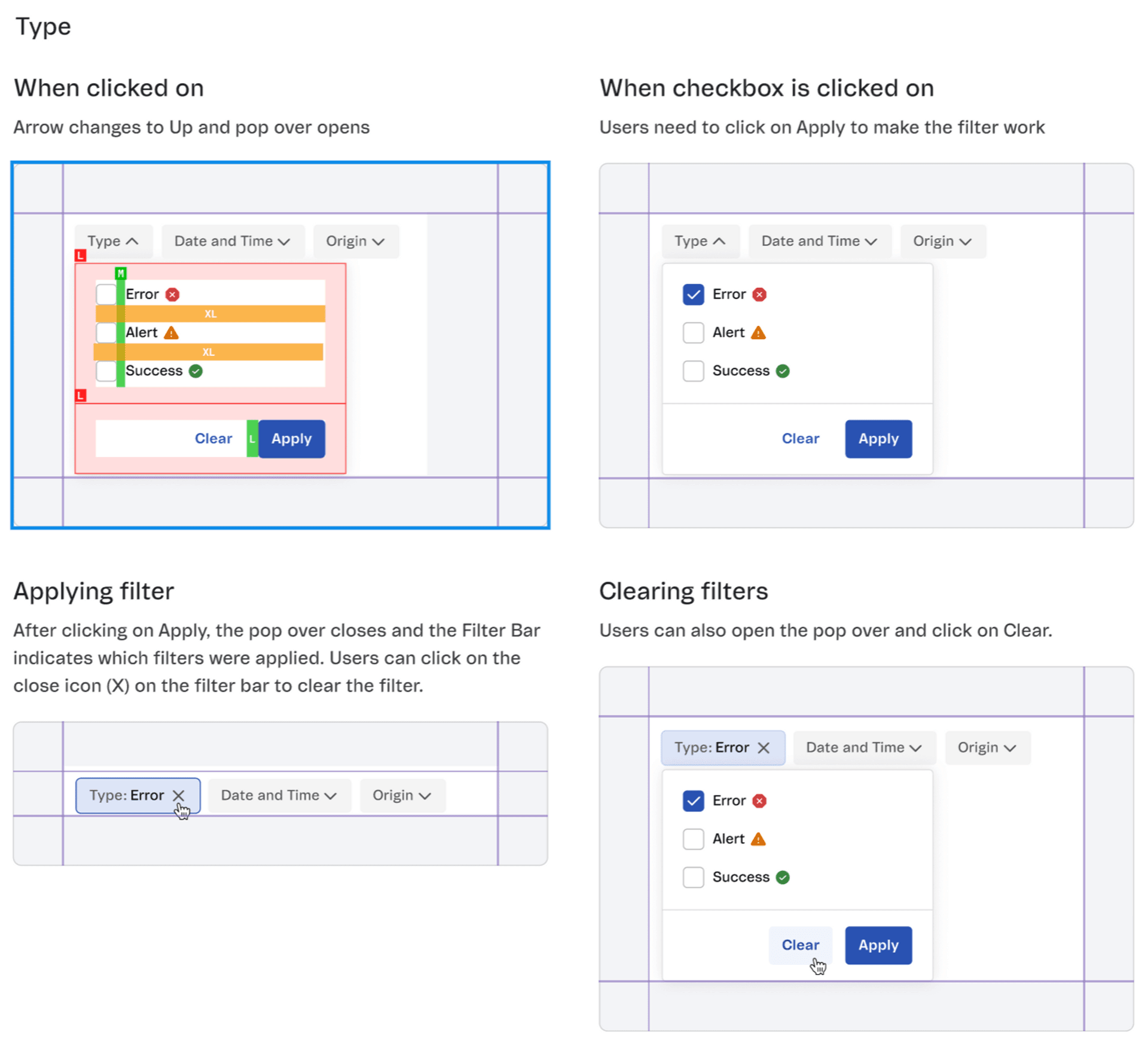
There is always more to learn.
- Figma
- Design System library integration, auto-layout and collaborative work on interfaces.
- A broader design view
- Research documentation, balancing user opinion and business need, writing and taxonomy, and exploring many ways to design interfaces.
- Communication
- Working in English, frequent exchange with developers, organizing time and tasks in Jira and learning to ask other designers for help.
- 6
- months of internship
- 100+
- frames explored
- 30+
- designers at the Design Critique